CASE STUDY — CONSUMER AI · 2026
We Have Food at Home
An installable PWA that answers the oldest question in the house — what's for dinner — by looking in the fridge for you. Snap a photo, get a week of high-protein meals, and let it fill the grocery cart.
- 1 photo
- to a full inventory AI vision scan
- 7 days
- of meals, leftovers chained high-protein plan
- 1 tap
- to a filled cart Kroger public API
The problem
Meal planning fails at the boring step: knowing what you already have. Every planning app assumes you'll type in your pantry. Nobody types in their pantry. So the plans ignore the half-used chicken and the three cans of beans, you buy duplicates, and food rots.
I wanted to delete that step entirely. Point a camera at the fridge; the app figures out the rest.
The build
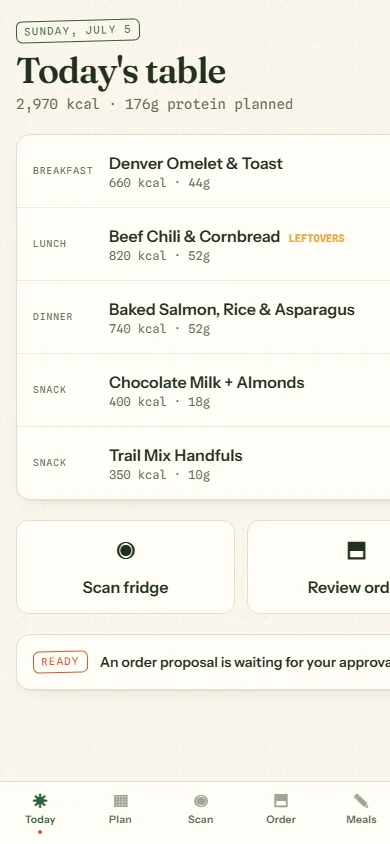
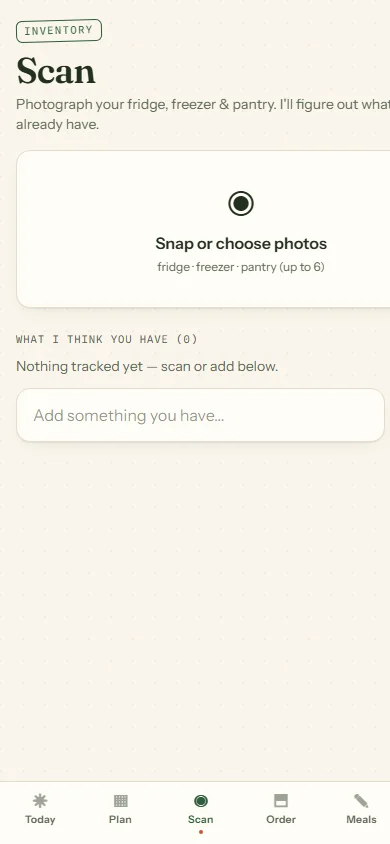
We Have Food at Home is an iPhone-installable PWA built on Next.js 16 and React 19. You photograph your fridge and pantry; AI vision reads the images into a structured ingredient inventory — no typing. From that inventory it plans a week of high-protein meals with leftover chaining, so tonight's roast becomes tomorrow's lunch instead of tomorrow's trash.
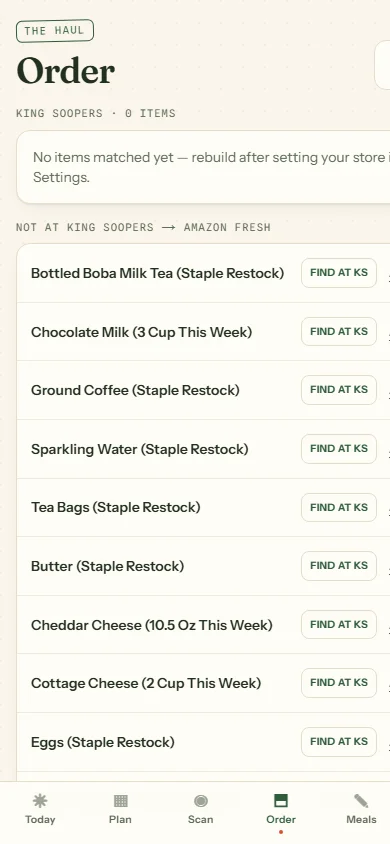
Then the useful part: it takes whatever's missing and pushes the shopping list straight into a King Soopers cart via the Kroger public API, with an Amazon Fresh fallback if Kroger isn't an option. A weekly cron re-plans as the fridge changes. Data lives in Neon Postgres through Drizzle; Tailwind 4 handles the interface.
Stack decisions
Why a PWA. This is a kitchen-counter, phone-in-hand app. An installable PWA gives you the home-screen icon and camera access without an app-store gauntlet for what is, honestly, a personal-scale tool that happens to be genuinely useful.
Why vision instead of a form. The entire value is skipping data entry. If the AI scan didn't work, the app would be just another planner nobody updates. Getting the vision step reliable was the project.
Why wire into a real grocery API. A plan you have to re-shop by hand is a suggestion. Filling an actual Kroger cart is the difference between a demo and a thing you use on Sunday night.
Outcomes
The loop closes: fridge photo in, filled grocery cart out, a week of dinners in between. It's small, it's opinionated, and it's the clearest one-sentence demo I've got for what applied AI can do — point a camera at your fridge, get dinner.
Want AI built into your product?
Vision, agents, or the plumbing that makes them useful — I partner with teams shipping real AI features.